
1No more buried masterpieces
Keep every crayon drawing, watercolor painting, and school craft in its own quiet artbook—completely separate from screenshots, receipts, and daily camera roll clutter.
Scan preschool and school drawings in seconds. Build a calm, private digital artbook for every child on iPhone & iPad — with auto age tracking, 60-second voice stories, and private iCloud sync.
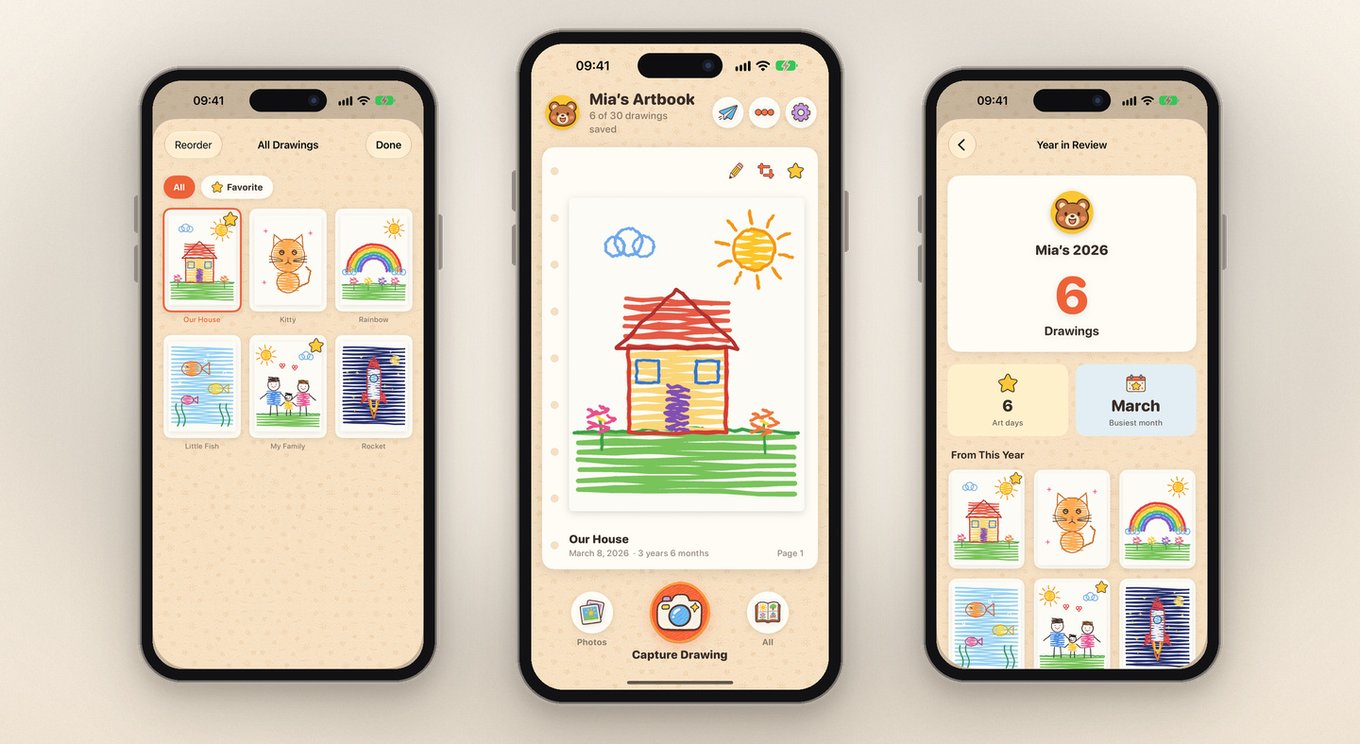
Too precious to throw away. Too bulky to keep in overflowing drawers. Too easy to lose inside a crowded camera roll.
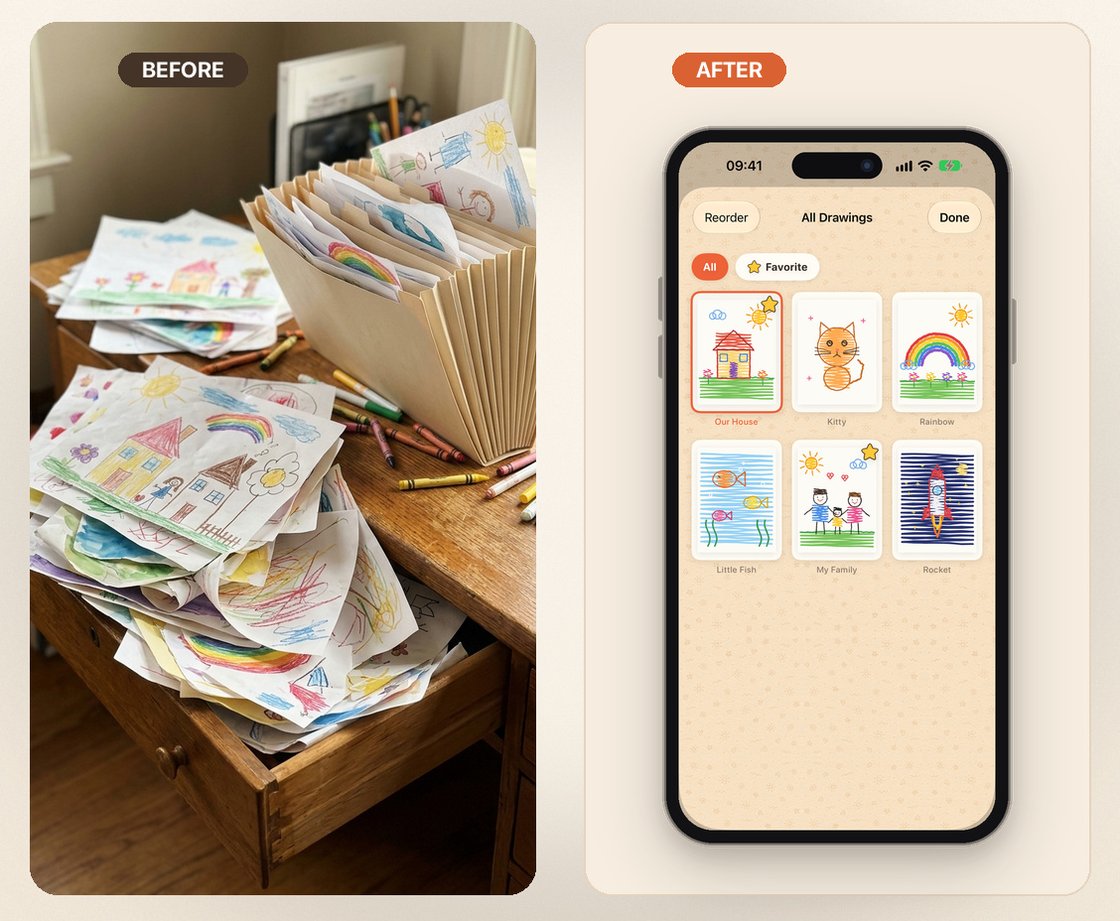
Keep every crayon drawing, watercolor painting, and school craft in its own quiet artbook—completely separate from screenshots, receipts, and daily camera roll clutter.
Spend two minutes scanning this week's art stack, hang your top two favorites in wall frames, and let the remaining paper go knowing every drawing is archived at full clarity.
Camera roll dates tell you nothing about what a purple squiggle meant. Little Artbook logs your child's exact age automatically and lets you record a 60-second voice story beside each page.
Built natively in SwiftUI to feel like a warm keepsake storybook—never a noisy social network or sterile receipt scanner.
Auto-detects paper edges, straightens skewed tabletop shots, and offers a one-tap reversible Paper Brightening toggle that removes dim shadows without washing out crayon or watercolor.
Enter your child's birthday once and every page logs their exact age (like 3 years 6 months). Record their hilarious 60-second explanation before the memory fades.
Already have older drawings buried in Apple Photos? Import up to 20 photos at once while automatically preserving their original EXIF capture dates.
Share museum-style White Mat or Wood Frame cards with grandparents, enjoy automatic Year in Review recaps, and pin drawings to Home Screen & StandBy widgets.
Export clean, high-resolution A4 PDF albums anytime so you can print physical keepsake books at home or any local print shop—with zero forced print-service markups.
No sign-up, no developer servers, no ads, no analytics SDKs. Every drawing stays on your device and optionally syncs through your own private Apple iCloud.
From a green dinosaur eating watermelon at 3.5 to a family portrait at 4.5, every page becomes a chapter you will love flipping through together years from now.
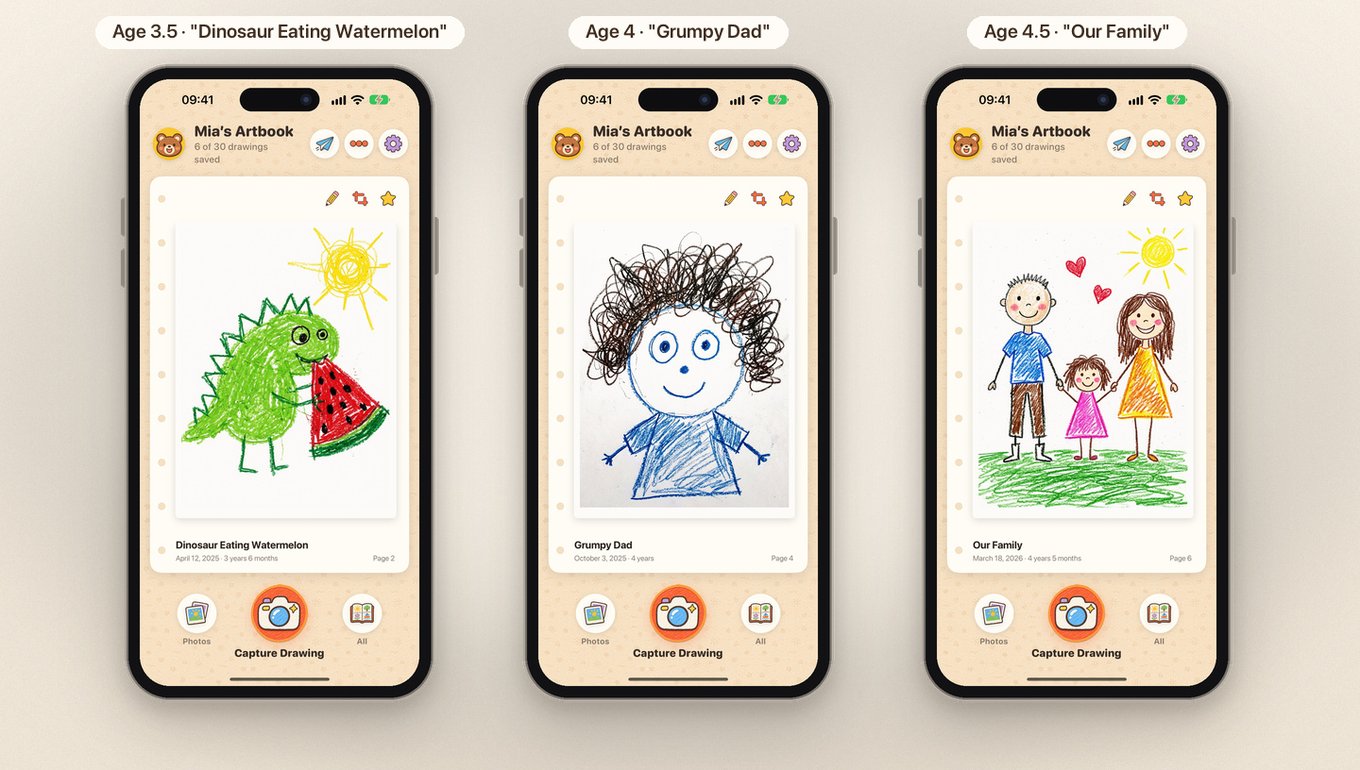
Swipe smoothly from scribble to masterpiece—complete with exact age badges, custom titles, and optional voice stories.
Looking for a calm, private Artkive or Keepy alternative without mandatory accounts or print-book upsells? Here is how the four main options compare.
| Feature | Little Artbook | Artkive | Keepy | Apple Photos |
|---|---|---|---|---|
| Best For | Parents wanting a quiet, private digital kids art archive & DIY PDF albums | Parents mainly wanting paid physical hardcover books printed for them | Extended family social sharing & video reactions | General everyday family photography |
| Account Required? | No Zero login or sign-up | Yes (cloud account) | Yes (cloud account) | Apple ID |
| Privacy & Storage | Private On-device & your private iCloud; zero ads or tracking | Uploaded to third-party servers | Uploaded to third-party servers | On-device & iCloud |
| Dedicated Art Space | Yes Separate from camera roll clutter | Yes | Yes | No (mixed with daily photos & screenshots) |
| Auto Crop & Paper Brightening | Yes Auto-straighten & reversible crayon-safe brighten | Basic photo capture | Basic photo capture | Manual cropping only |
| Voice Notes per Drawing | Yes 60-second audio story per page | Text captions only | Yes (audio / video) | No |
| Automatic Child Age Tracking | Yes Auto-calculated from birthday | Yes | Yes | No (manual albums) |
| Printable Book Export | Yes High-res A4 PDF (print anywhere) | Paid Artkive printed books | Paid prints & books | Manual layout needed |
| Pricing Model | Free (30 drawings + 3 voice notes); Monthly, Yearly, or Lifetime + Family Sharing | Paid subscription + printed book costs | Paid subscription for full storage | Free (uses iCloud storage quota) |
No trial traps, no dark patterns, and no holding your children's artwork hostage.
Try the full capture workflow with your child's favorite drawings first.
One purchase covers both parents' iPhones & iPads via Apple Family Sharing.
Your memories stay yours: Even if you cancel Premium later, every drawing you saved stays on your device and remains exportable anytime.
Straightforward answers about privacy, decluttering workflow, pricing, and printing.
Little Artbook is built specifically for parents who want a quiet, ad-free iPhone and iPad kids art organizer with no sign-up required. It automatically crops paper edges, brightens shadows without washing out crayon textures, tracks each child's exact age, records 60-second voice stories, and keeps all artwork privately on your device or in your own iCloud.
A simple 3-step weekly routine works best: (1) Scan every new drawing into Little Artbook in a couple of minutes—ideally with your child telling you a quick voice story about what they drew, (2) keep just 2 or 3 rotating favorites displayed in physical wall frames, and (3) recycle the remaining paper stack knowing every piece is preserved at high resolution with its date and age forever.
Yes—especially if you prioritize privacy and want to avoid mandatory accounts, third-party cloud storage, or pushy printed-book upsells. While Artkive is designed primarily around selling physical hardcover books and Keepy focuses on cloud social sharing, Little Artbook keeps your children's artwork solely on your device and private iCloud, and lets you export printable high-res A4 PDF albums to print anywhere whenever you choose.
Yes. Little Artbook's App Store privacy label is Data Not Collected. There is no account creation, no developer server, no advertising, and no third-party analytics SDK. Drawings, notes, and voice recordings stay locally on your iPhone or iPad, and with Premium optional sync goes exclusively to the private database of your own Apple iCloud account.
The free version has no time limit and no trial trap: you can save up to 30 drawings and 3 voice notes, use auto-crop and Paper Brightening, share Framed Cards, browse Year in Review, use Home Screen and StandBy widgets, and export individual images anytime. Optional Premium unlocks unlimited drawings, multiple child artbooks, private iCloud sync, unlimited voice notes, badge-free Framed Cards, and printable A4 PDF albums—with Apple Family Sharing included. Even if you cancel Premium, all saved drawings remain on your device and stay exportable.
Yes. You can export individual drawings to your Photo Library or via the iOS share sheet anytime on both Free and Premium plans. With Premium, you can also generate clean, high-resolution A4 PDF keepsake albums ready to print at home or at any local print shop without vendor lock-in.
Yes. Little Artbook runs natively on both iPhone and iPad. You can batch import up to 20 existing artwork photos at a time from Apple Photos while automatically preserving their original EXIF capture dates. Premium supports creating separate artbooks for multiple children and syncing them privately across devices via iCloud.